Optics Lab: Interactive Ray Diagrams and Light Experiments
Explore ray diagrams and optical phenomena with interactive tools for reflection, refraction, image formation, and dispersion using mirrors, lenses, prisms, and more.
Want to teach with this content in Prezuva Slide?
Prezuva — Create, Teach, Engage, Assess
Try for free →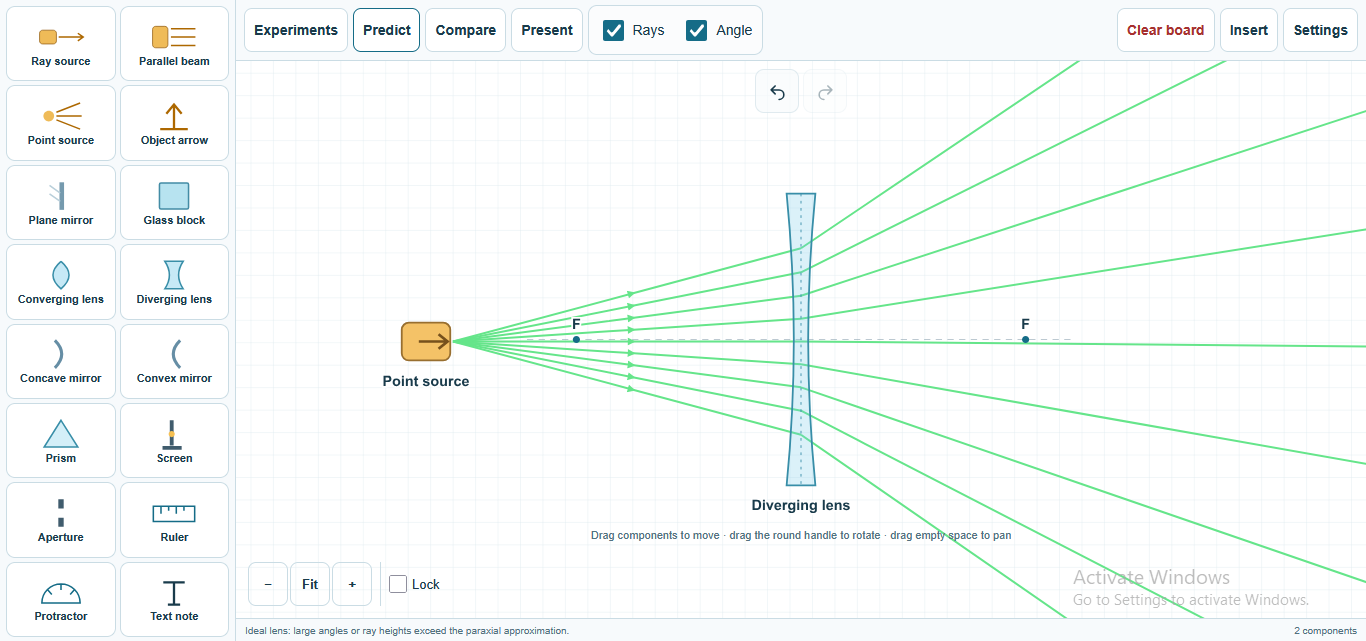
For individual learning only. Use for classroom teaching or commercial purposes is not permitted.
About this classroom tool
The Optics Lab is an interactive classroom tool designed to help students understand the behaviour of light through hands-on experimentation with ray diagrams. It allows users to explore key optical phenomena such as reflection, refraction, image formation, and dispersion using virtual light sources, mirrors, lenses, prisms, glass blocks, and screens.
By constructing and manipulating ray diagrams, students can visualise how light interacts with different optical elements. The tool supports live ray tracing, enabling real-time observation of how rays change direction and form images. It also provides measurement features for angles and distances, facilitating quantitative analysis and comparison of different setups.
This resource is suitable for all grade levels studying physics or engineering technology, offering an engaging way to explore geometrical optics concepts and develop a deeper understanding of light behaviour.
Key concepts
- Reflection — light rays bounce off surfaces like plane and curved mirrors following the law of reflection.
- Refraction — light changes direction when passing between materials of different refractive indices, governed by Snell’s Law.
- Image formation — lenses and mirrors create real or virtual images depending on object position and focal length.
- Dispersion — prisms separate white light into its component colours by wavelength-dependent refraction.
- Total internal reflection — light reflects entirely within a medium when incident above the critical angle.
Using it in the classroom
- Starter activity: Begin lessons by exploring simple ray diagrams with plane mirrors to introduce reflection.
- Whole-class teaching: Demonstrate refraction and image formation using lenses and prisms with live ray tracing to engage students visually.
- Assessment for learning: Have students predict ray paths and check their answers using the tool’s interactive features.
- Homework: Assign tasks where students construct and analyse ray diagrams to reinforce concepts at home.
- Practical investigations: Use the measurement tools to compare angles of incidence and refraction and verify Snell’s Law experimentally.
Frequently asked questions
What is the purpose of ray diagrams in optics?
Ray diagrams help visualise how light travels and interacts with optical elements, making it easier to understand reflection, refraction, and image formation.
Can I use the Optics Lab to measure angles accurately?
Yes, the tool includes features to measure angles of incidence, reflection, and refraction, supporting quantitative analysis.
Is this tool suitable for all education levels?
Yes, the Optics Lab is designed to be accessible for all grade levels, from introductory to advanced physics topics.
How does the tool demonstrate dispersion?
It uses prisms to split white light into its constituent colours by simulating wavelength-dependent refraction, illustrating dispersion clearly.