Geometry Board: Interactive Tool for Teaching Geometric Constructions
Use the Geometry Board to draw, construct, measure, and present geometric figures interactively. Ideal for teaching points, lines, angles, circles, and more on a smartboard.
Want to teach with this content in Prezuva Slide?
Prezuva — Create, Teach, Engage, Assess
Try for free →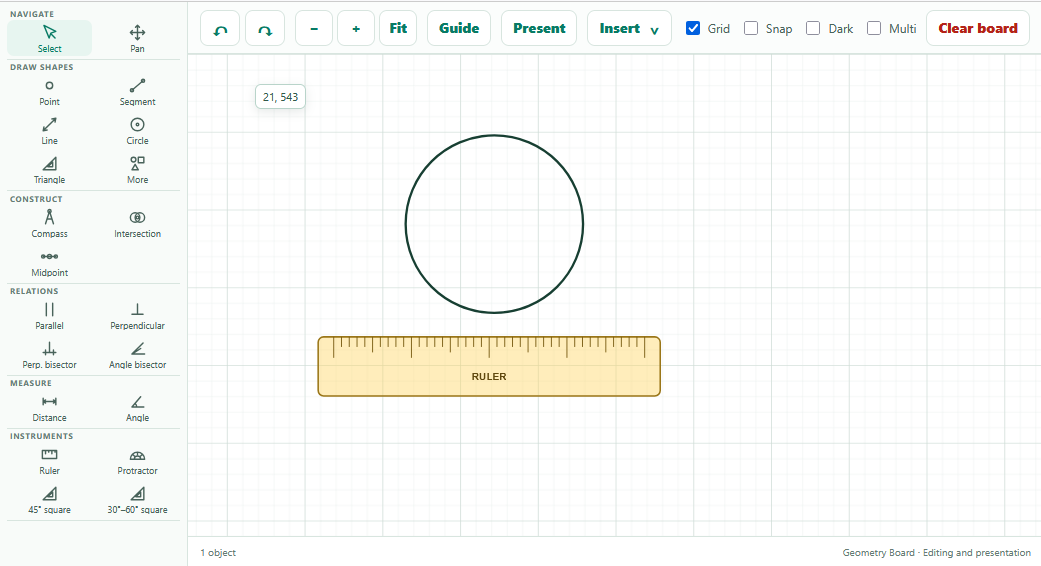
For individual learning only. Use for classroom teaching or commercial purposes is not permitted.
About this classroom tool
The Geometry Board is an interactive classroom tool designed to support teaching and learning of geometric concepts through digital construction and measurement. It allows teachers and students to draw and manipulate points, lines, line segments, rays, circles, arcs, and polygons directly on an interactive smartboard.
This tool is particularly useful for exploring Euclidean geometry by constructing intersections, midpoints, parallel and perpendicular lines, as well as angle and perpendicular bisectors. It also includes digital instruments such as rulers, protractors, set squares, and compasses to measure lengths and angles accurately, enhancing understanding of geometric properties and relationships.
By integrating these features, the Geometry Board enables dynamic and visual presentations of geometric concepts, making abstract ideas more accessible and engaging for learners across all grade levels.
Key concepts
- Points, lines and segments — fundamental elements of geometry used to build figures and understand spatial relationships.
- Geometric constructions — creating precise figures such as perpendicular bisectors and angle bisectors using digital tools.
- Measurement tools — digital rulers, protractors, and compasses for accurate length and angle measurement.
- Polygons and circles — constructing and analysing shapes including triangles, arcs, and circles.
- Parallel and perpendicular lines — understanding and constructing lines with specific orientation properties.
Using it in the classroom
- Use as a starter activity to review basic geometric terms by constructing points, lines and angles together as a class.
- Demonstrate geometric constructions step-by-step on the smartboard to model problem-solving strategies.
- Encourage students to explore properties by measuring lengths and angles of constructed figures during lessons.
- Set homework tasks where students replicate constructions or create new figures using similar digital tools at home if available.
- Use the tool for formative assessment by asking students to construct specific figures or solve geometric problems interactively.
Frequently asked questions
What geometric figures can I construct with the Geometry Board?
You can construct points, line segments, lines, rays, circles, arcs, polygons, and various types of triangles, as well as special constructions like midpoints, intersections, parallel and perpendicular lines, and bisectors.
Can I measure angles and lengths accurately using this tool?
Yes, the Geometry Board includes digital rulers, protractors, set squares, and compasses that allow precise measurement of lengths and angles directly on the smartboard.
Is the Geometry Board suitable for all grade levels?
Yes, it is designed to support a wide range of learners, from basic geometric concepts in early grades to more advanced constructions in secondary education.
Can I use the Geometry Board for assessment purposes?
Absolutely, teachers can use it to assess students’ understanding by having them construct figures or solve problems interactively during lessons.