Geography Map Board: Interactive World and Regional Maps
Explore world and regional geography with an interactive map board. Add pins, labels and routes; measure distances and display layers like population, climate and tectonic plates.
Want to teach with this content in Prezuva Slide?
Prezuva — Create, Teach, Engage, Assess
Try for free →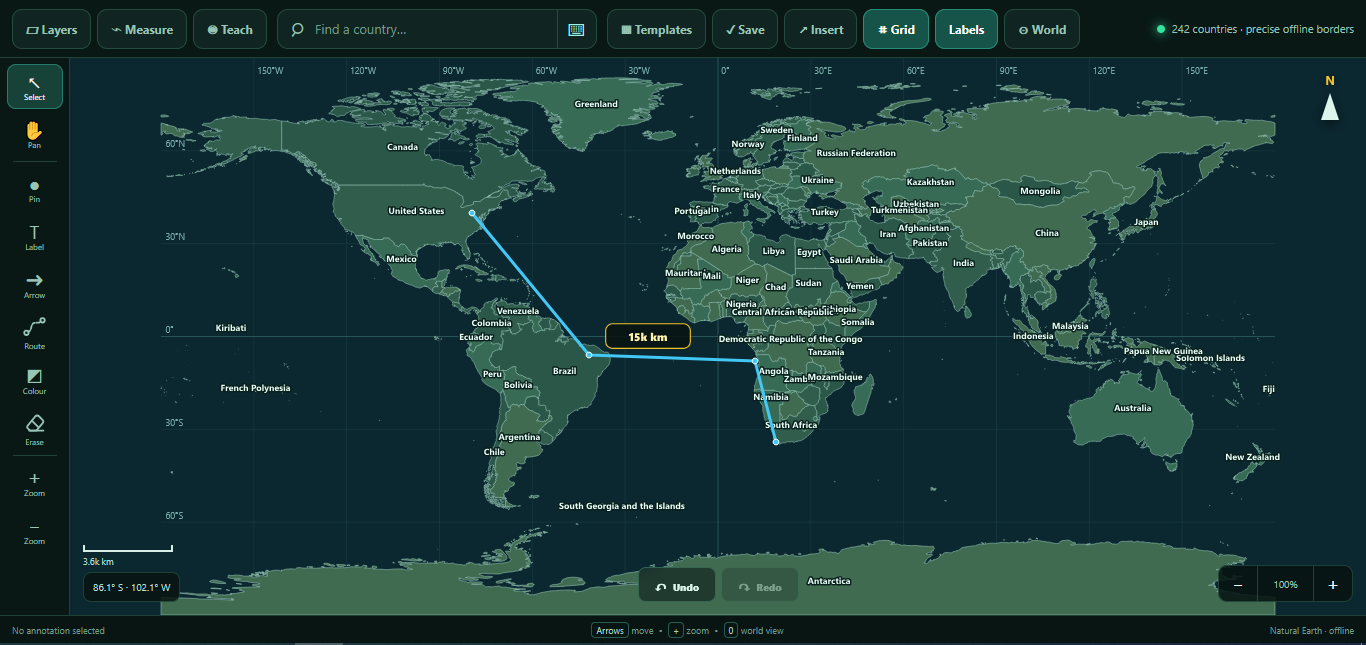
For individual learning only. Use for classroom teaching or commercial purposes is not permitted.
About this classroom tool
The Geography Map Board is an interactive resource designed to enhance teaching of world and regional geography. It allows teachers and students to explore maps by adding pins, labels, arrows, routes and colours, making geographical concepts more tangible and engaging.
Users can measure distance, area, bearing and coordinates directly on the map, facilitating practical understanding of spatial relationships. Multiple map layers can be displayed, including capitals, cities, waterways, mountains, population, climate, time zones and tectonic plates, supporting a wide range of geography topics.
The tool includes blank-map activities, country quizzes, comparisons, journeys and reusable lesson templates, making it suitable for all grade levels and adaptable to various teaching styles.
Key concepts
- Interactive mapping — add pins, labels and routes to visualise geographic data.
- Measurement tools — measure distance, area, bearing and coordinates on maps.
- Layered information — display multiple geographic layers like climate zones and tectonic plates.
- Geographical features — explore capitals, cities, waterways, mountains and population data.
- Customisable activities — use quizzes, comparisons and lesson templates to support learning.
Using it in the classroom
- Starter activity: Begin lessons by exploring key map features and adding pins to important locations.
- Whole-class teaching: Demonstrate measuring distances and interpreting map layers to explain geographic concepts.
- Assessment for learning: Use quizzes and blank-map activities to check students’ understanding of countries and regions.
- Homework: Assign journeys or comparisons for students to complete using the map board at home or in class.
- Project work: Encourage students to create their own labelled maps and presentations using the tool’s features.
Frequently asked questions
Can the map board be used without internet access?
Yes, the Geography Map Board is fully functional offline, making it ideal for classrooms with limited internet connectivity.
What geographic layers can I display on the map?
You can display layers including capitals, cities, waterways, mountains, population, climate zones, time zones and tectonic plates.
Is the tool suitable for all age groups?
Yes, the map board includes activities and templates suitable for all grade levels, from primary to secondary education.
Can students add their own labels and routes?
Yes, students can interactively add pins, labels, arrows and routes to customise the maps during lessons or projects.